Field note #2: I'm building Fluq
A prospect or a customer asks a question on a call. The answer sits in your documents. Fluq puts a short, sourced answer on your screen while they are still talking.
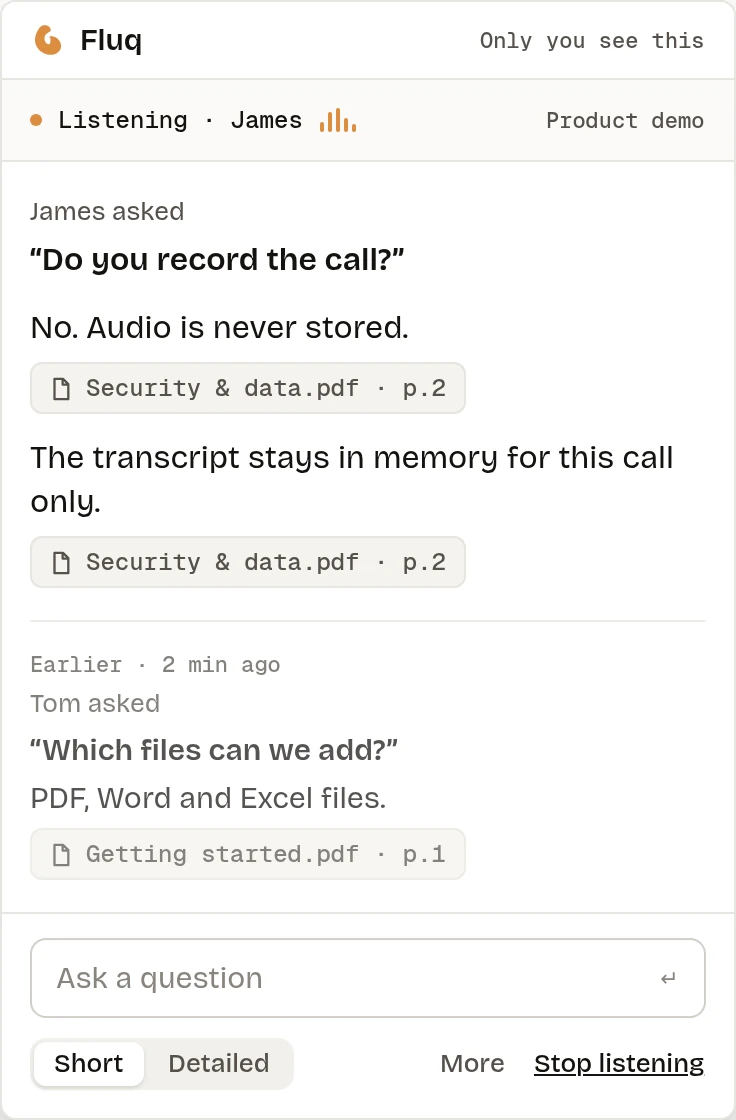
Fluq, pronounced like fluke, is Project 1 of Mariano Ventures. It is a native Mac app for sales and support teams of about 5 to 50 people. During a video call it listens to the other side, turns their speech into text, spots a real question, and shows an answer drawn only from the documents your team picked. Each answer names its source: the file, and the page, slide or cell. If the documents do not cover the question, it says "Not in your documents."
The waitlist is open at fluq.ai.
How I'm building it
I'm building Fluq with AI coding tools, mostly Claude Code. My line on this one: I will be as hands off as possible until user testing is required.
I've also set the order of work: the right product first, then the right pricing, then the marketing.
Where it is today
The core loop works. It has heard the other side of a real Zoom call. In a test run on 13 November, with speech recognition running on the Mac itself, the first words of an answer appeared in a median of 1.48 seconds, and 1.91 seconds at the 90th percentile. That was on my Mac mini M4 Pro, with test scripts played as synthesised speech. The target is a median under 1.5 seconds and a 90th percentile under 2 seconds.
Then I changed the plan. Most sales reps and support people don't have a Mac like mine, so speech to text is moving to the cloud with AssemblyAI. It's built and in internal testing, with on-device recognition kept as the fallback if the connection drops. Audio goes straight from the Mac to AssemblyAI, and my servers never receive it. Before any real customer audio goes through it, I need AssemblyAI to confirm in writing that it keeps nothing and doesn't train on it.
The cloud version works end to end, but it isn't certified yet. In a first test with synthesised speech on my fast Mac, it came in at a median of 1.59 seconds, just over the target. It still needs tuning, and the real test is a slower Mac, which I haven't measured.
This weekend the full app design came together: the live-call panel, onboarding, the document library and settings. I went through it and wrote my first round of feedback. Some of it goes into the first beta build, like a thumbs up or down on each answer. The rest waits until real teams have used it.
The pieces a stranger needs are coming together: accounts, a team library, a signed installer and a production setup. A release candidate passed its final checks this morning and is ready for a first test deployment. I have not yet measured how long it takes a new user to go from download to a first answer. The target is under five minutes.
What it has cost so far
| Item | Cost (USD) |
|---|---|
| AI model credits for answers (two top-ups) | 54 |
| Database and sign-in (Supabase Pro, first month) | 25 |
| Speech to text credit (AssemblyAI, prepaid) | 10 |
| Total so far | 89 |
Fluq has its own budget ceiling of USD 200, and it has used USD 89 of it. The running cost today is about USD 35 a month, mostly the database. Once the servers go live, that rises to about USD 52 a month.
That doesn't include the AI coding subscriptions I already pay for, or the company costs shared across every project, like domains, data protection registration and design tools.
What's next
Get a beta build into the hands of a first team, and start those ten conversations. If you lead a sales or support team and you know the pause while someone goes looking for an answer, join the waitlist.
Whatever those conversations say, I will write it up here.
Follow along on X: @marianocarrica.